AI Analyst
Brief it like an analyst.
Review what comes back.
Ask a corporate development question in plain English. The AI Analyst researches it and writes the answer into a document, slide deck, model or market map in your workspace, with numbered sources you can check.
What you ask
The briefs a corporate development lead actually writes.
Write it the way you would for an analyst on your team: the question, the company or market, and what you need back.
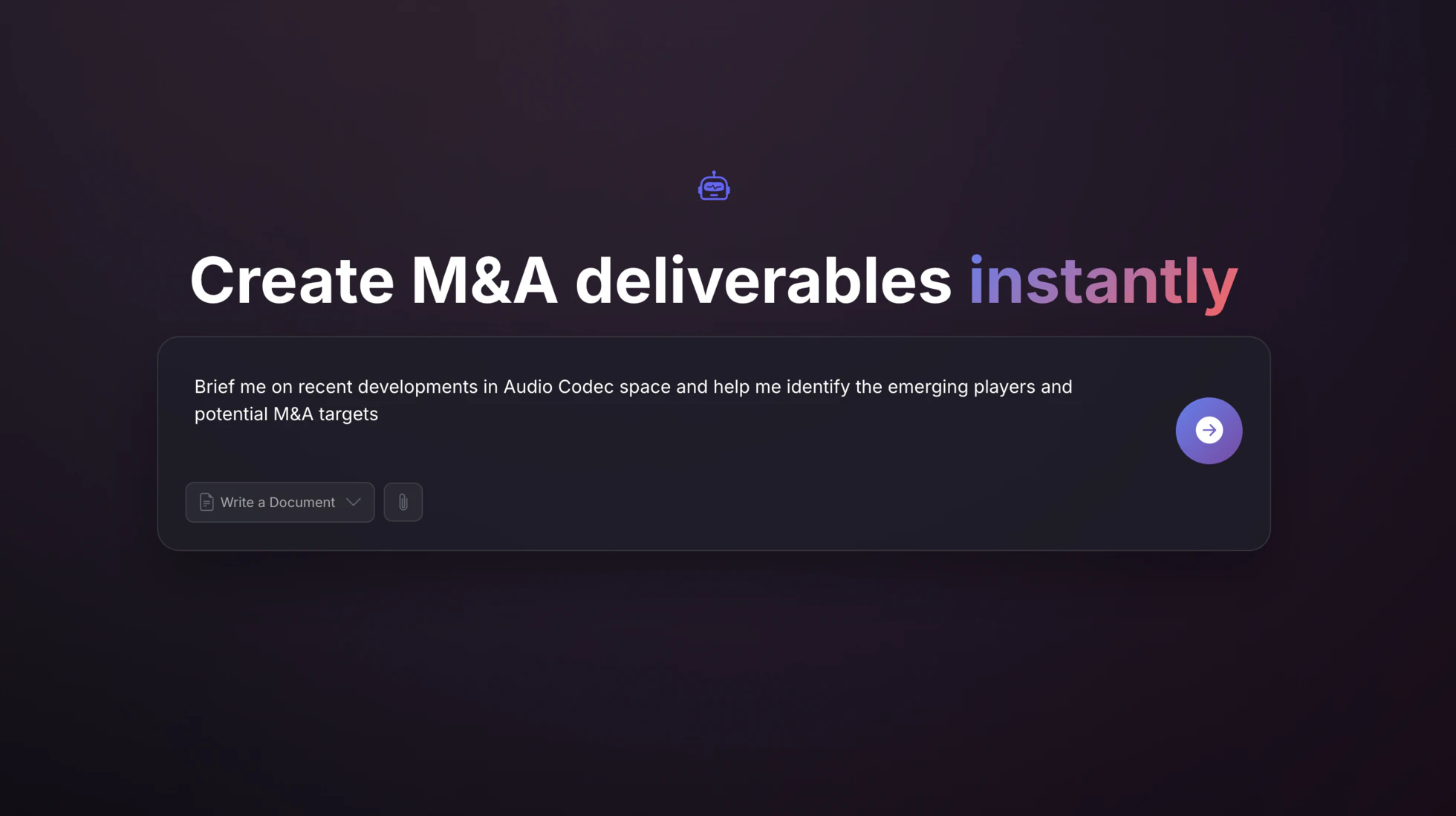
- “Brief me on recent developments in the audio codec space and identify the emerging players and potential M&A targets.”
- A cited sector brief: market size and growth, the trends reshaping the space, and the emerging players worth a closer look.
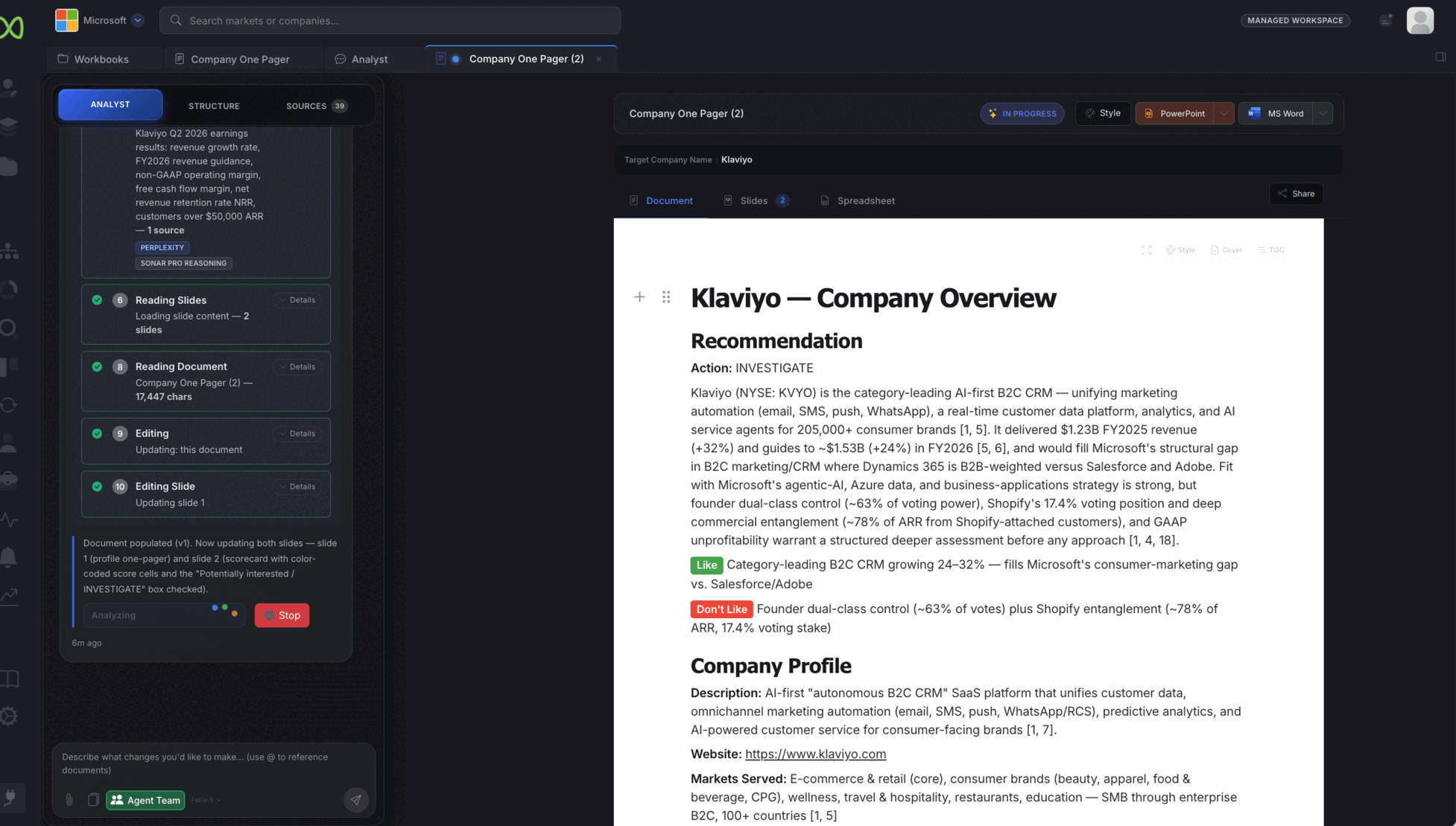
- “Build a one-pager on Klaviyo for Microsoft: fit, risks and a recommendation, with a scorecard slide.”
- A company one-pager with a recommendation and Like / Don't Like points, plus slides for the profile and the scorecard.
- “Map the autonomous last-mile delivery market and place the key players in segments.”
- A market map with companies placed in segments, viewable as a sunburst, treemap or cluster, ready to place into the report or the deck.
- “Prioritize the drone-delivery candidates into tiers and show them on one landscape slide.”
- A tiered target landscape (acquire, take a strategic stake, or partner for technology) with the reasoning for each company in the document.
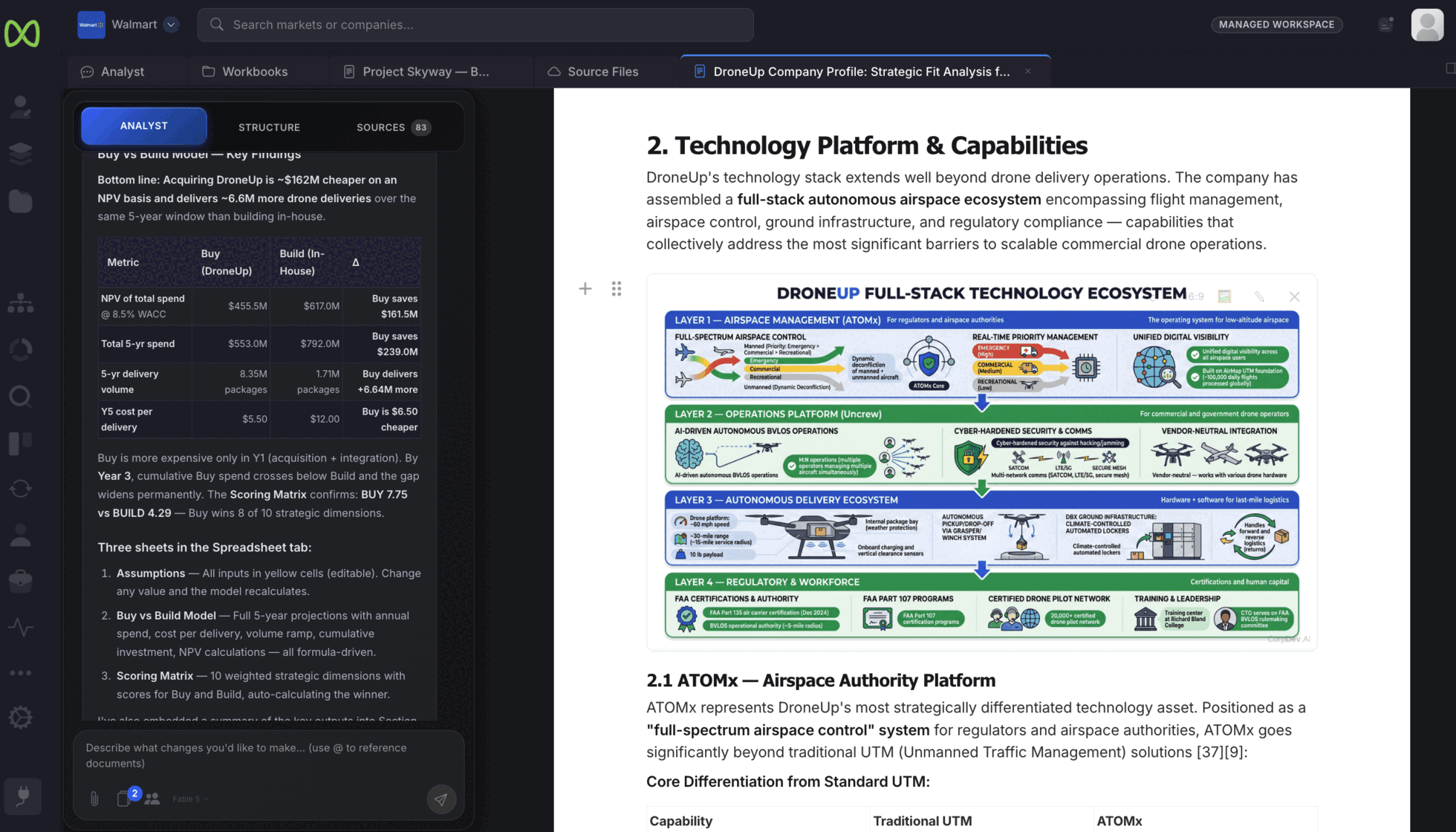
- “Compare buying DroneUp with building the capability in-house over five years. Put the model in a spreadsheet.”
- A buy-versus-build model with editable assumptions, five-year projections and a weighted scoring matrix, summarized in the document.
- “Draft the Project Skyway investment memorandum from the playbook and the DroneUp profile.”
- An investment memo that cites the workspace documents it draws on, from the executive summary through valuation and deal terms.
Example briefs from illustrative cases. The Walmart, Microsoft and DroneUp examples are not real transactions.
How the work comes back
You set the question. You own the answer.
Start with a question, or with your own files
Type the brief, choose what you want back, such as a document, and attach the materials the Analyst should work from. Use @ to point it at documents already in the workspace.
Documents, slides and models with the sources attached
Documents carry numbered source citations that link to the original source. Models land in a spreadsheet with inputs you can change, and the Analyst writes the findings back into the document.
- Export to PowerPoint, Word or PDF; spreadsheets and models to Excel
- Slides and charts styled with your workspace theme
- Visualizations drawn into the document, like the technology stack shown here
You direct the work and check each step
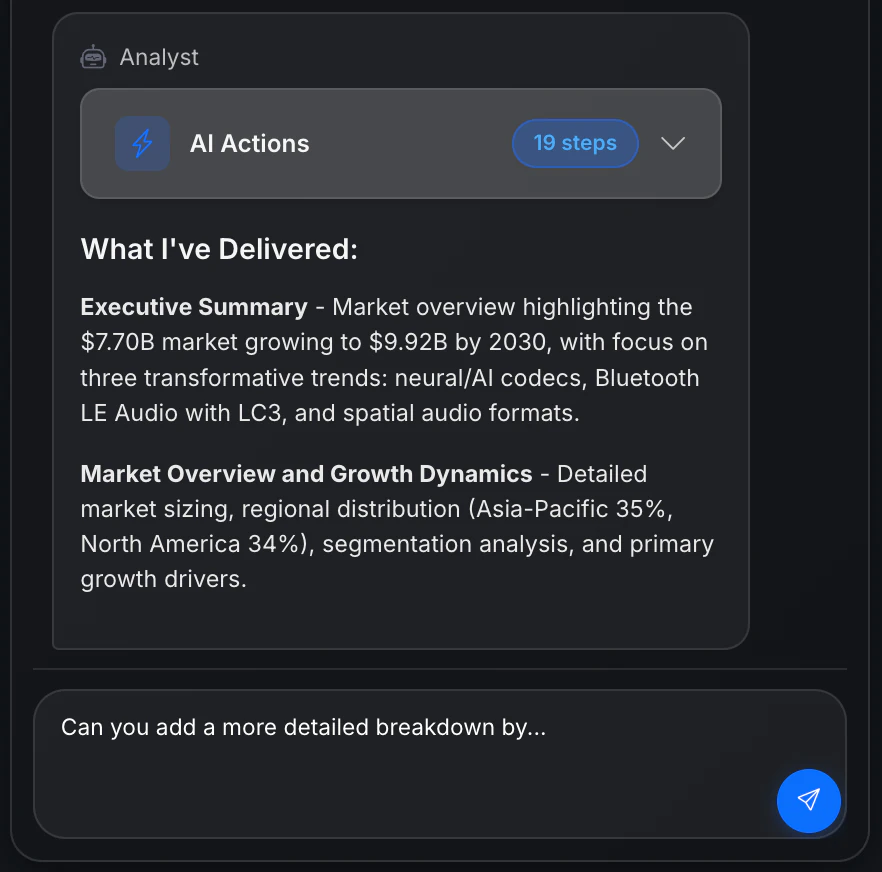
Open the steps to see what the Analyst searched, read and changed. It sums up what it delivered, and you push back in the same thread: add a breakdown, test an assumption, rewrite a section for the committee.
Where the Analyst works
The same Analyst across your workspace.
- Workbooks
- The Analyst writes into your documents, slide decks and spreadsheets, and edits them in place when you ask for changes.
- AI Room
- Point it at a file, a folder or the whole data room. Page images are preserved and financial tables are extracted for it to work from. Explore AI Room →
- Lists and pipeline
- Add a question as a column and every company on a list is researched against it, with the reasoning shown under each answer. The same AI columns work on your pipeline.
- Excel
- CorpDev.AI for Excel brings the Analyst into the Excel task pane. It reads your data room, pipeline and research, and edits the open workbook in place. See the Excel add-in →
- Frontier models, routed per task
- Anthropic Claude for reasoning and writing, OpenAI GPT for analysis and structure, Perplexity for research, Google Gemini for visualizations. Each is routed to the task it is best at.
- Your workspace boundary
- Each workspace is a separate boundary that only its members can access, and your content is not used to train models for other customers. Read about security →
Sample deliverables
Read what the Analyst produced for one case.
Both samples come from an illustrative Walmart autonomous-delivery case. They are not a real transaction or a customer engagement.
Beating Amazon: Strategic Playbook
Customer missions, competitive priorities, capability gaps and the acquisition themes that follow from them.
Open the sample playbook ↗ Decision · Illustrative sampleProject Skyway: Investment Memorandum
Strategic rationale, valuation, illustrative deal terms, integration and an explicit approval request.
Open the sample memo ↗Managed Services
Want a sector report or a memo built with you?
Use the Analyst on your own, or bring in our best minds. They work in your workspace alongside your team, on the same documents, to deliver market intelligence, a screen or an investment memo.
The decision stays yours.
We never contact targets or present to your board. The approach, the recommendation and the approval remain with your team.
See Managed Services →Give the Analyst your next brief.
Start with a question already on your desk: a market to size, a company to assess, a memo due to committee.