Signals you choose
Leadership changes, funding and investment, M&A signals, product and partnership news, operational events and growth triggers.
Company Intelligence
Open any company by its website and read its business, offering, leadership, financial context and news, with the sources behind them. When a company matters, the Analyst writes the full profile and strategic-fit assessment.
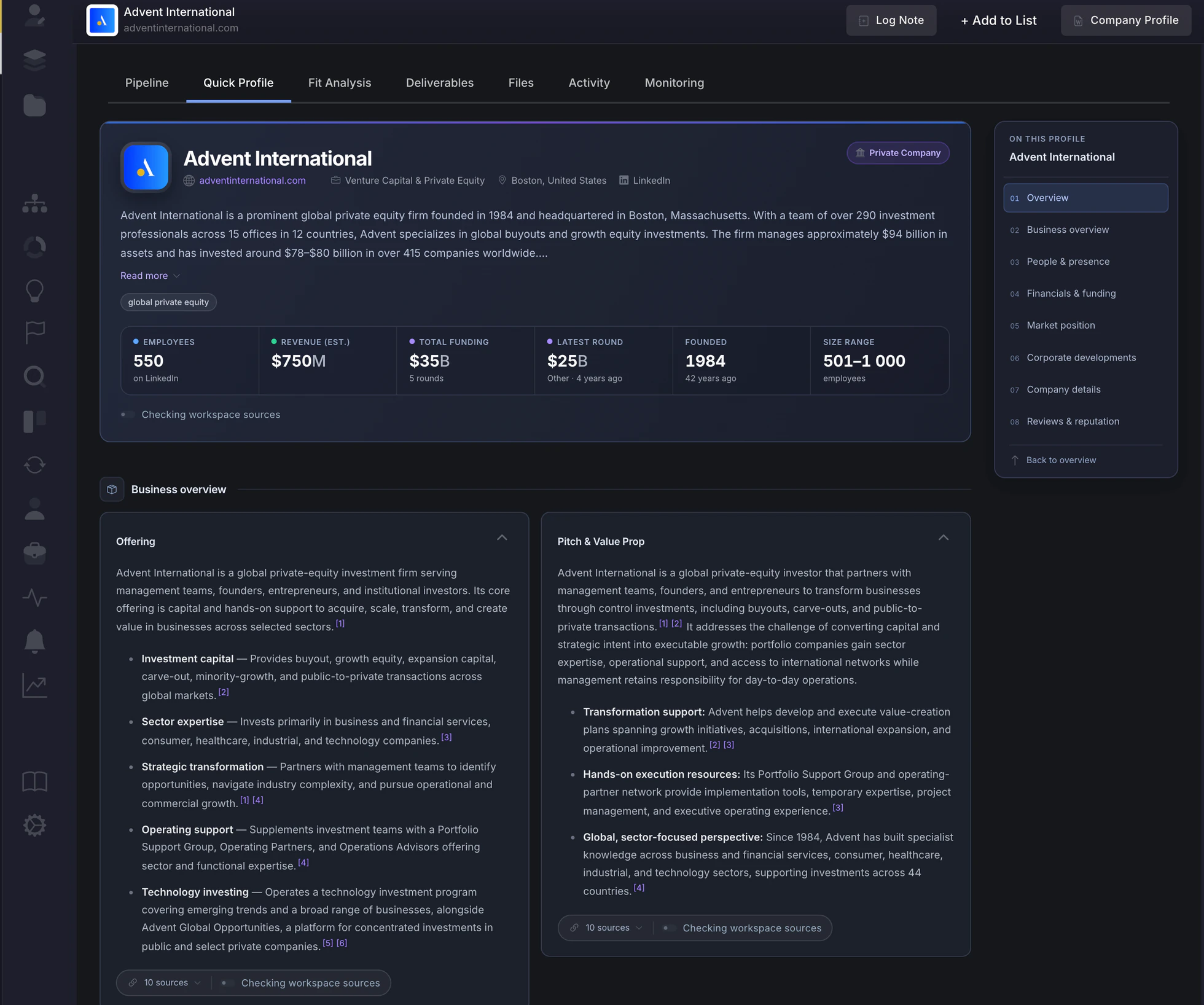
The company profile
Search by name or description, or add a company by its website, and open its profile. Everyone on the team starts from the same picture.
When a company matters
The profile tells you what a company is. The Analyst tells you what it would mean for your strategy, in documents your team can check, edit and present.
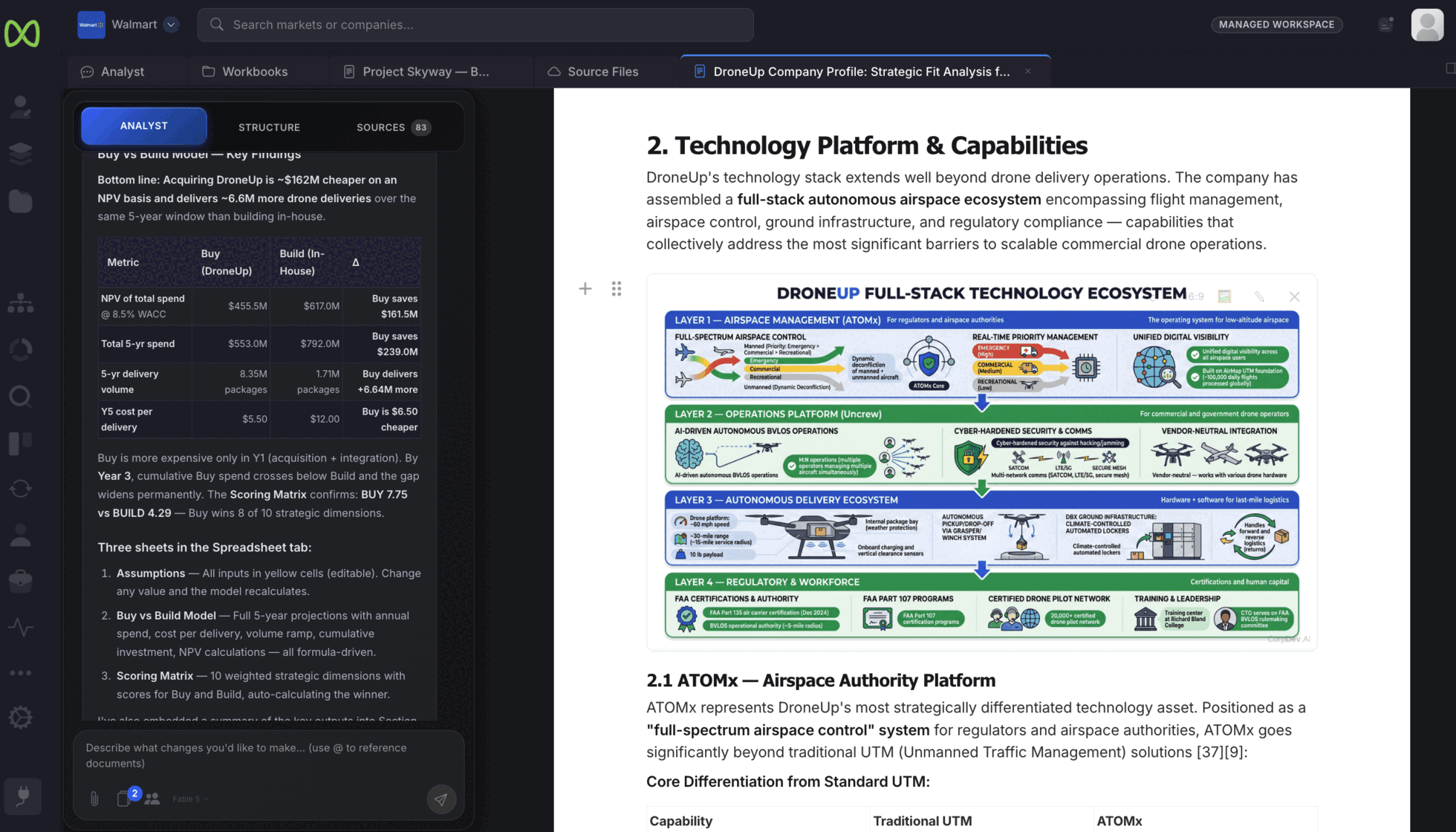
Ask for a company profile and strategic-fit assessment. The Analyst researches the business, its technology and its position, and writes it into a document with numbered sources.
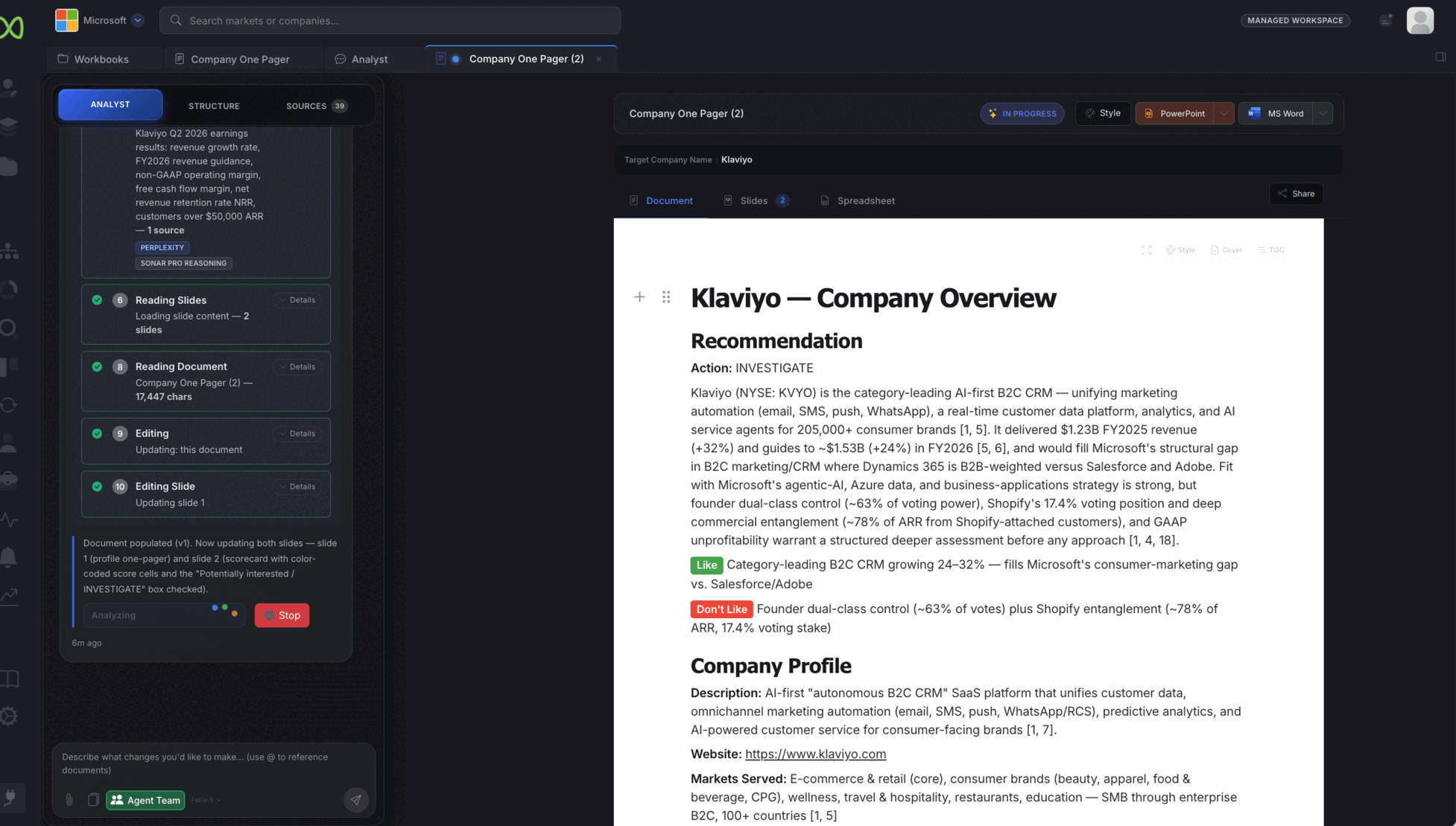
For a quick read, the Analyst fills a company one-pager: a recommendation, the points for and against, and the company profile, each point cited.
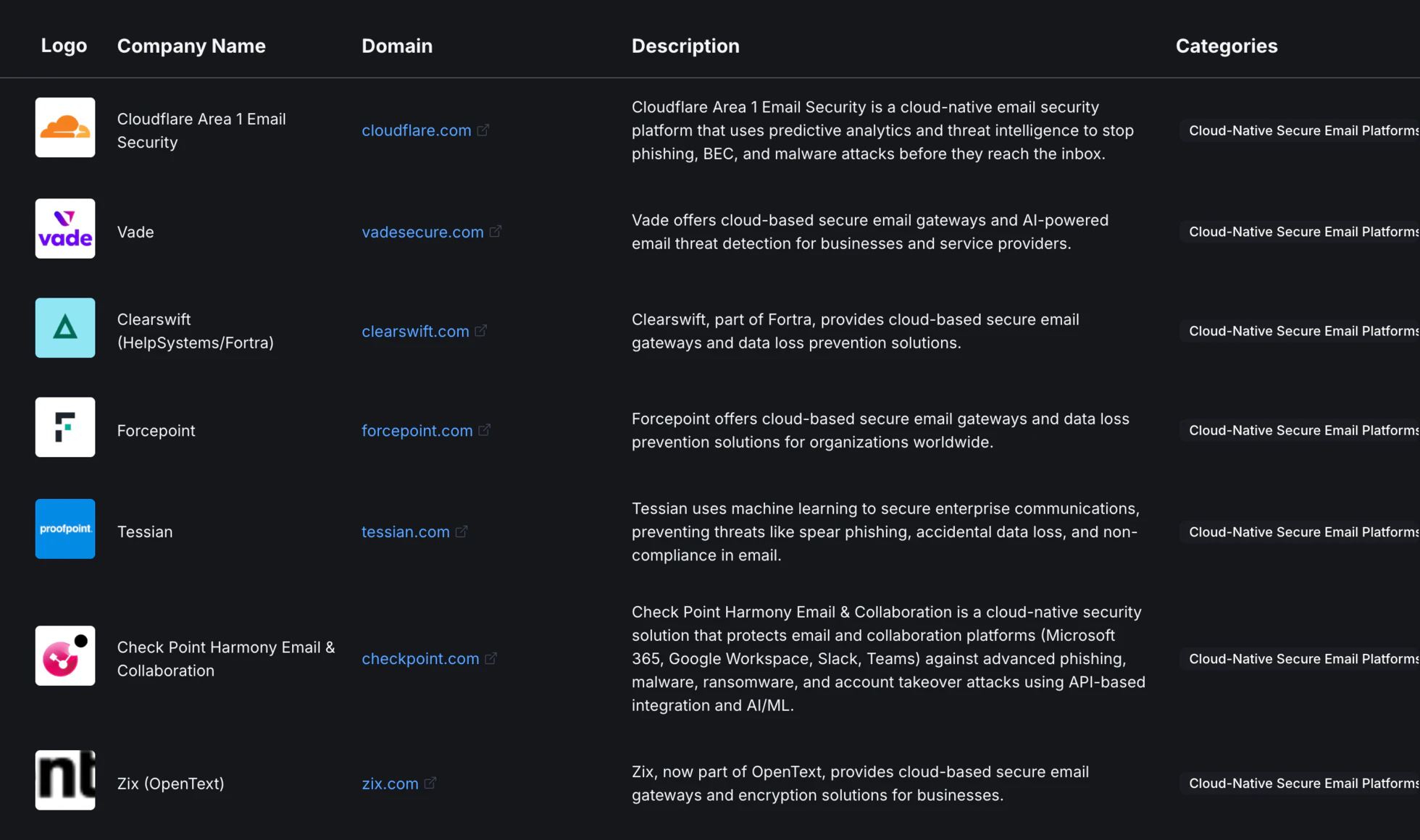
Put the companies you are weighing on a list and add AI columns. Each column is a question, such as who they sell to or whether they fit your thesis. Every company is researched against it, with the reasoning shown under each answer.
Monitoring
Choose what to watch for the companies on a list or in your pipeline, and run a scan when you want an update.
Leadership changes, funding and investment, M&A signals, product and partnership news, operational events and growth triggers.
Each development is marked by how much it matters against the criteria you set, with the sources behind it.
Developments sit on the company’s profile, alongside its business, its offering and your team’s work on it.
Sample deliverables
Both samples come from one illustrative case on autonomous last-mile delivery.
The business, its technology platform and how it fits the acquirer’s delivery strategy, with numbered sources.
Open the sample profile ↗ Sample · Target identificationWhere that profile started: candidates qualified against the strategy and ranked into three tiers.
Open the sample target list ↗Put it to work: evaluate inbound deals → · research competitors → · source new targets →
Open its profile on a trial, or book a demo to walk through a profile, a one-pager and a strategic-fit document.